
Roles
note
This information is only relevant for Admins managing a Playground Private Exchange.
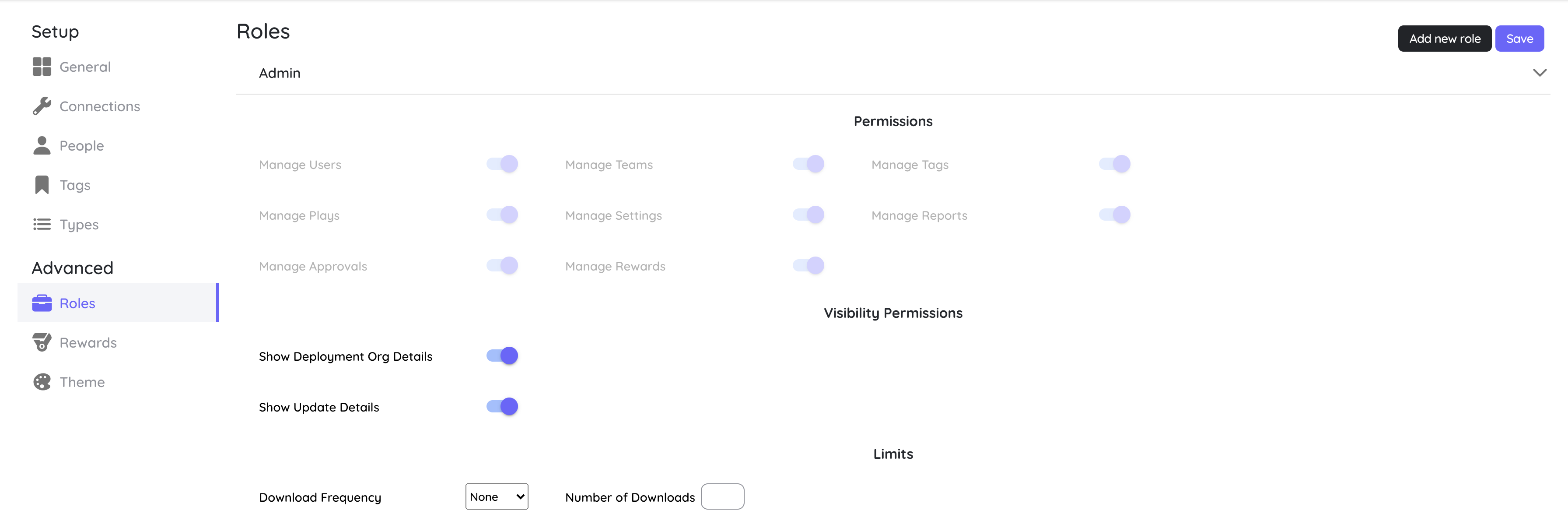
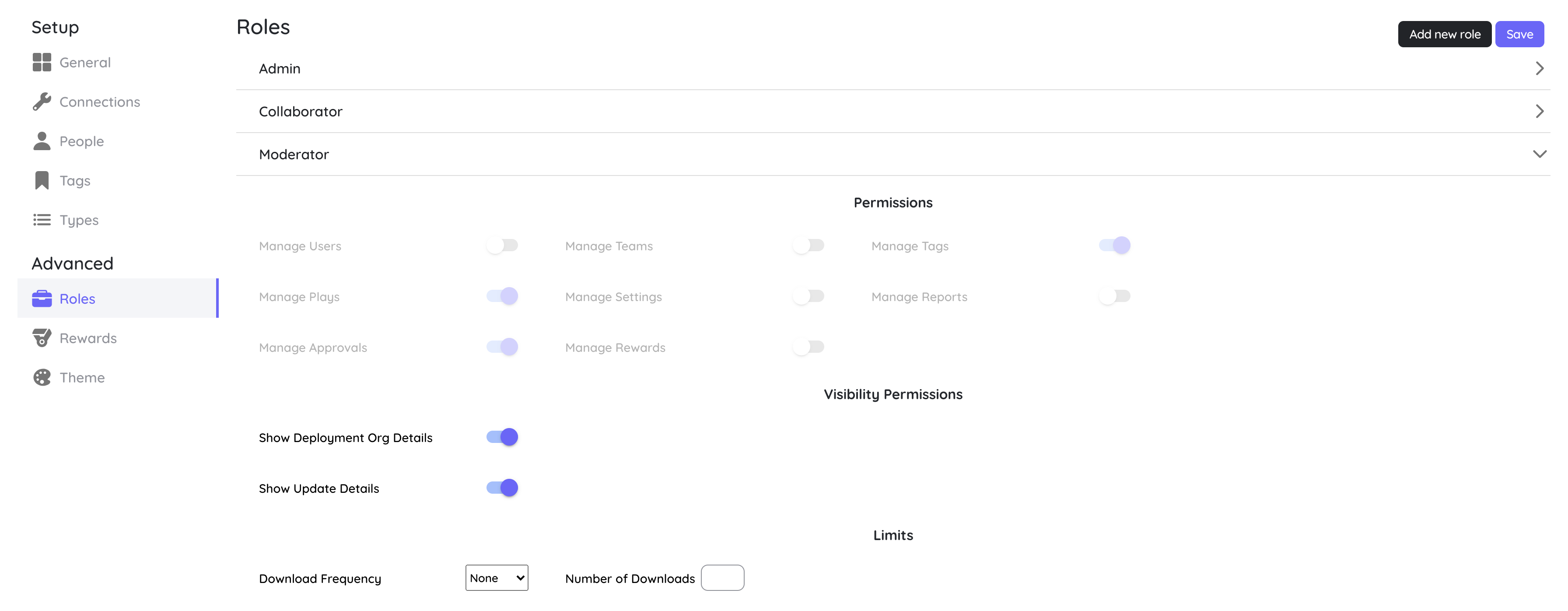
A Role is assigned to every user and helps decide what level of access that user has. While most of the users on platform will be Contributors but one would also need Admin(s) and Moderators. By default these are the 3 pre-configured roles(Admin, Moderator & Contributor) but you can customise these and create new ones if needed.
Admin Role
Moderator Role
Collaborator Role
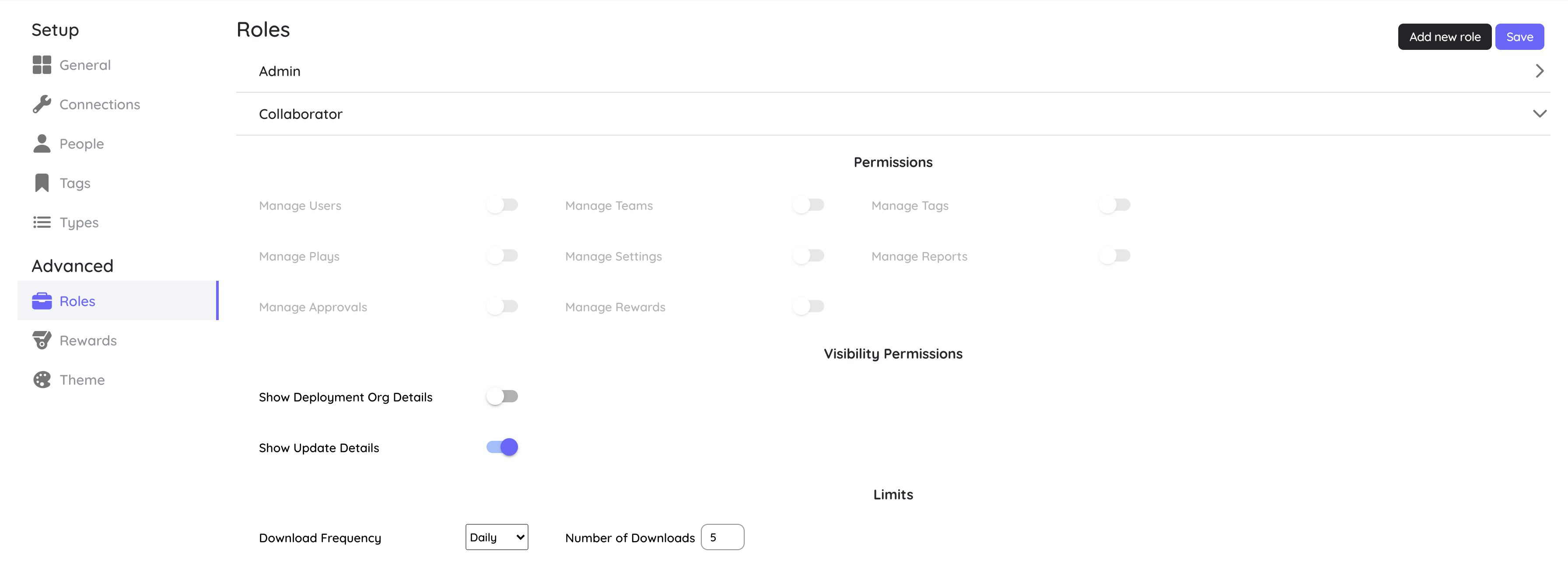
As mentioned earlier, these are the 3 pre-configured roles but you can customise these and create new ones if needed. Here is the list of permissions that can be controlled via roles:
- Manage Users
- Manage Teams
- Manage Tags
- Manage Plays
- Manage Settings
- Manage Reports: shows Reports & Dashboards in the profile menu (see Reports & Dashboards)
- Manage Approvals
- Manage Rewards
- Use MCP (BETA): allows the role to use MCP assistants
- Show Update Details
- Show Deployment Org Details
- Download Frequency and Number of Downloads
note
Manage Settings is what makes someone an administrator for sign-in purposes. When single sign-on is required, anyone whose role has Manage Settings can still sign in with Google or Salesforce. See Sign-in Methods & Policy.