People
note
This information is only relevant for Admins managing a Playground Private Exchange.
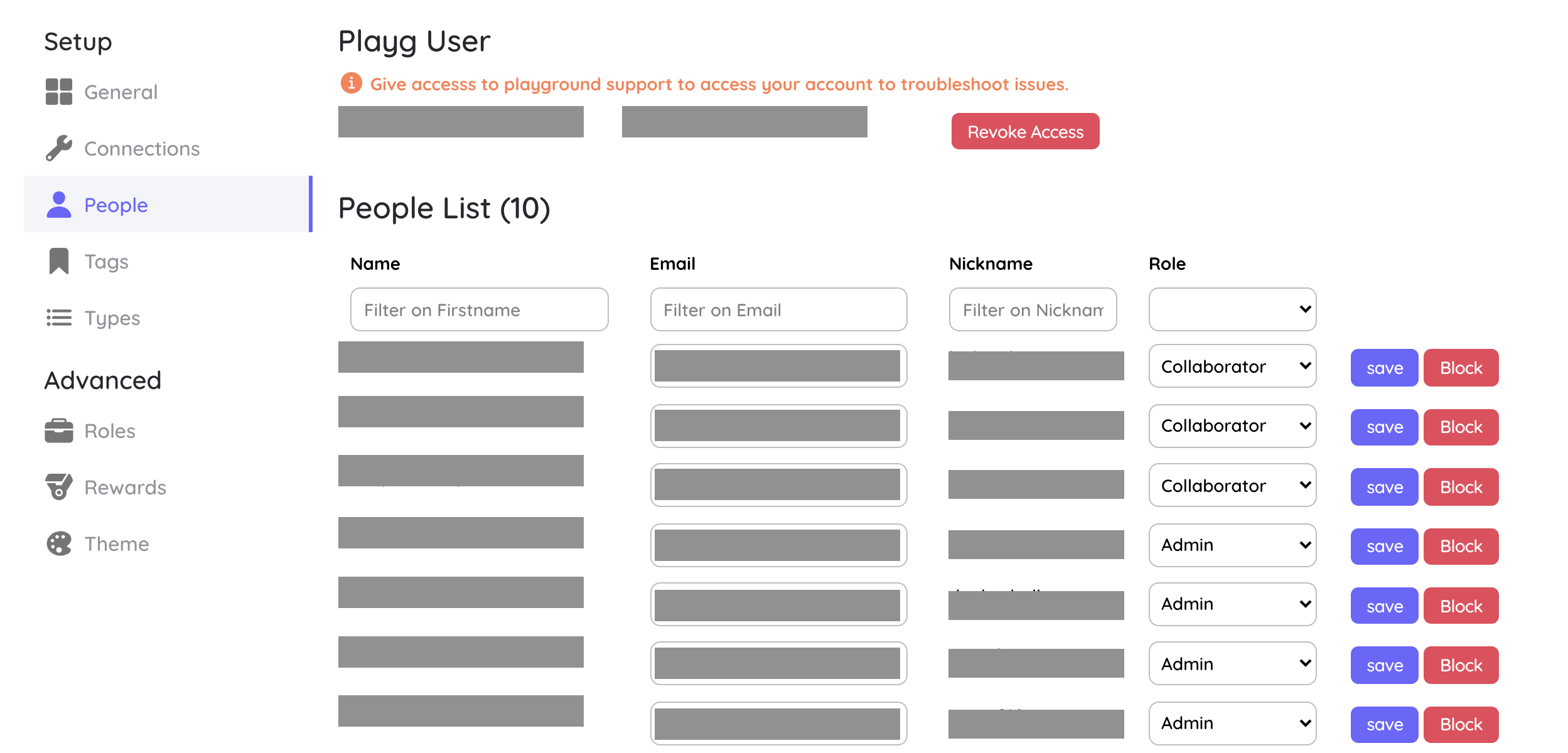
This section is to view and control access for the users. You can see details for all users, modify their roles and even revoke access for the Playground Admin user(Required for the Playground support team to assist you with any issues if needed)
Unique ID
When single sign-on matches people by a Unique ID instead of email (see SAML 2.0 and OpenID Connect), each person needs that value on their account.
- One person: edit the Unique ID field in the list and choose Save.
- Many people: choose Import Unique IDs (CSV) and upload a file with the columns
email,uid. People are found by email. Rows that cannot be applied, for example an unknown email or a Unique ID already used by someone else, are listed after the import.
A Unique ID must be unique within your Playground.
Finding people
Use the search box to find people by name, email, nickname or Unique ID, and the role filter to narrow the list. Playg support access is collapsed by default; expand it to give or revoke access.